


CD Text Display
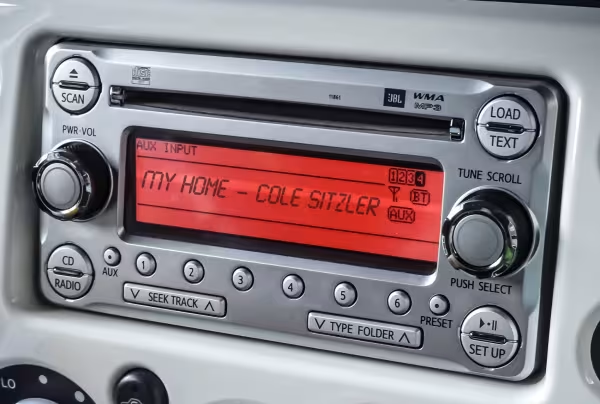
When someone slides your CD into a car stereo or home player, they should see your album name, artist name, and song titles instead of "Track 01, Track 02." That's what CD Text Display does. We encode the information directly onto your disc during production, so the details travel with the CD wherever it goes.
CD Text Display enables listeners who own CD Text enabled cars and CD players to read track names and artist information straight from their CD player. This is a small but impactful upgrade for those looking to provide even more value to their listeners.
CD Text technology is widely used in today's recording industry. Even if you are not interested in displaying track information on CD Text enabled CD players, CD Text can still be a helpful marketing and promotion tool.
- Enhances listener experience
- Meets industry standards
- Encodes track titles, performer information, and much more
CD Text encoding is free when you upload your audio files and enter your track names at checkout, and it’s $25.00 to add CD Text to a finished master, such as a DDP folder or disc image.
What CD Text Display Actually Does
CD Text Display puts your album title, artist name, and song titles on a CD player's screen as the disc plays. The text is written into the lead-in area of the disc, so it sits alongside your audio without affecting how the music sounds. A CD Text capable player reads it straight off the disc and shows it on the display, with no internet connection or app involved.
The information is fixed once the disc is made, which is why we collect your track details before production and encode everything into the master. That keeps your song titles, artist name, and album title consistent across the whole order.
Where CD Text Display Shows Up
CD Text Display works on standalone players built to read the format, most commonly car stereos, aftermarket head units, and many home stereo systems. When a driver puts your disc in, your artist name and track titles appear on the dashboard screen without a phone connection or data lookup. That's the behavior people expect from a commercial album.
Support isn't universal. Many car and home units read CD Text, but some players ignore it. Since the encoding is free when you upload your audio files, there's little reason to skip it.
CD Text Display Vs Gracenote
CD Text Display is not the same as the track information you see on a computer. When you put a disc into a laptop and the music software shows song names, that data comes from an online database called Gracenote, not from the disc itself. CD Text is embedded in the disc and displays on standalone devices: CD players, home stereos, and older vehicles.
That means computer music software won't read the CD Text encoding on your discs. If you want your titles to appear on computers and internet-connected devices, that takes a separate Gracenote registration.

CD Text For Musicians
This upgrade lends your music additional value and improves a listener's overall experience. It can be frustrating for listeners to look over at their CD player and read "Unknown" or "Track 1" where the track name should be. That's why we think it's an important tool for musicians who want to create a professional quality disc.
CD Text For Authors
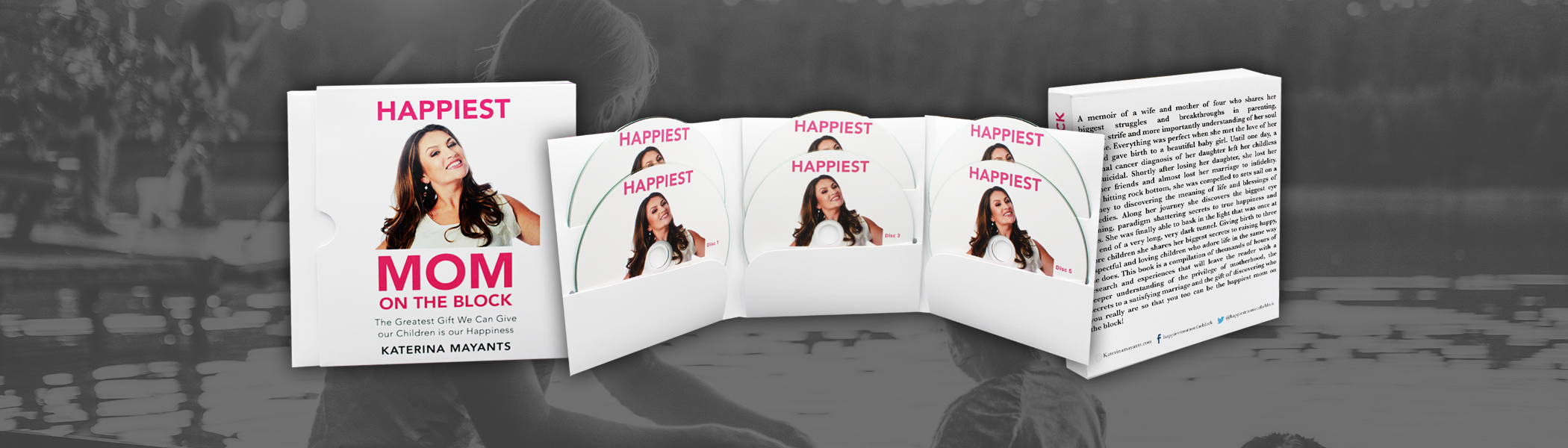
Audiobooks benefit from this upgrade too. Encoding chapter names, the disc title, and the author's name directly onto the disc helps listeners keep track of where they are. Many audiobook sets contain multiple discs with dozens of tracks each, and CD Text cuts down the confusion.
Frequently Asked Questions
What is CD Text Display?
CD Text Display encodes your album title, artist name, and song titles directly onto your CD so they appear on the player's screen while the disc plays. We add the data to your master before your discs are produced.
Which players show CD Text Display?
Standalone players that support the format, most commonly car stereos, aftermarket head units, and many home stereo systems. The player has to be CD Text capable for the information to appear.
How much does CD Text Display cost?
It's free when you upload WAV, MP3, or data files, since you enter your track names on the upload form and we encode them from there. If you're supplying a finished master, such as a DDP folder or disc image, it's $25.00 to add CD Text.
What information can CD Text Display include?
Album title, artist name, and individual song titles, along with performer information. Audiobook projects can encode chapter names, the disc title, and the author name.
How long can my titles be?
Keep them concise. Many CD players show only a limited number of characters before the text scrolls or truncates, so shorter titles display reliably across the widest range of players.
What information can CD Text Display include?
It commonly includes the album title, artist name, and individual song titles. This is the same type of information you would expect to see when playing a commercial album.
How do I add CD Text Display to my order?
Select "I will upload my files” during checkout, then upload your audio files through our website. Entering your track names is part of our upload process, so the encoding is included. If you're supplying a DDP folder or disc image, or you've already placed your order, call us and we can add CD Text for $25.00.
What is the difference between CD Text and Gracenote?
CD Text is embedded on the disc and displays on CD players, home stereos, and older vehicles. Gracenote is an online database that internet-connected devices look up instead, including computers, smart TVs, and newer vehicles. Many projects use both.